
All your mail.
In one place.

LetterRay is an email app for Gmail, iCloud, Outlook, Yahoo and your work mail. Add your mailboxes once and they show up on your iPhone, Android, Mac, Windows and in the browser.

No ads · iPhone, iPad, Android, macOS, Windows, Linux and web

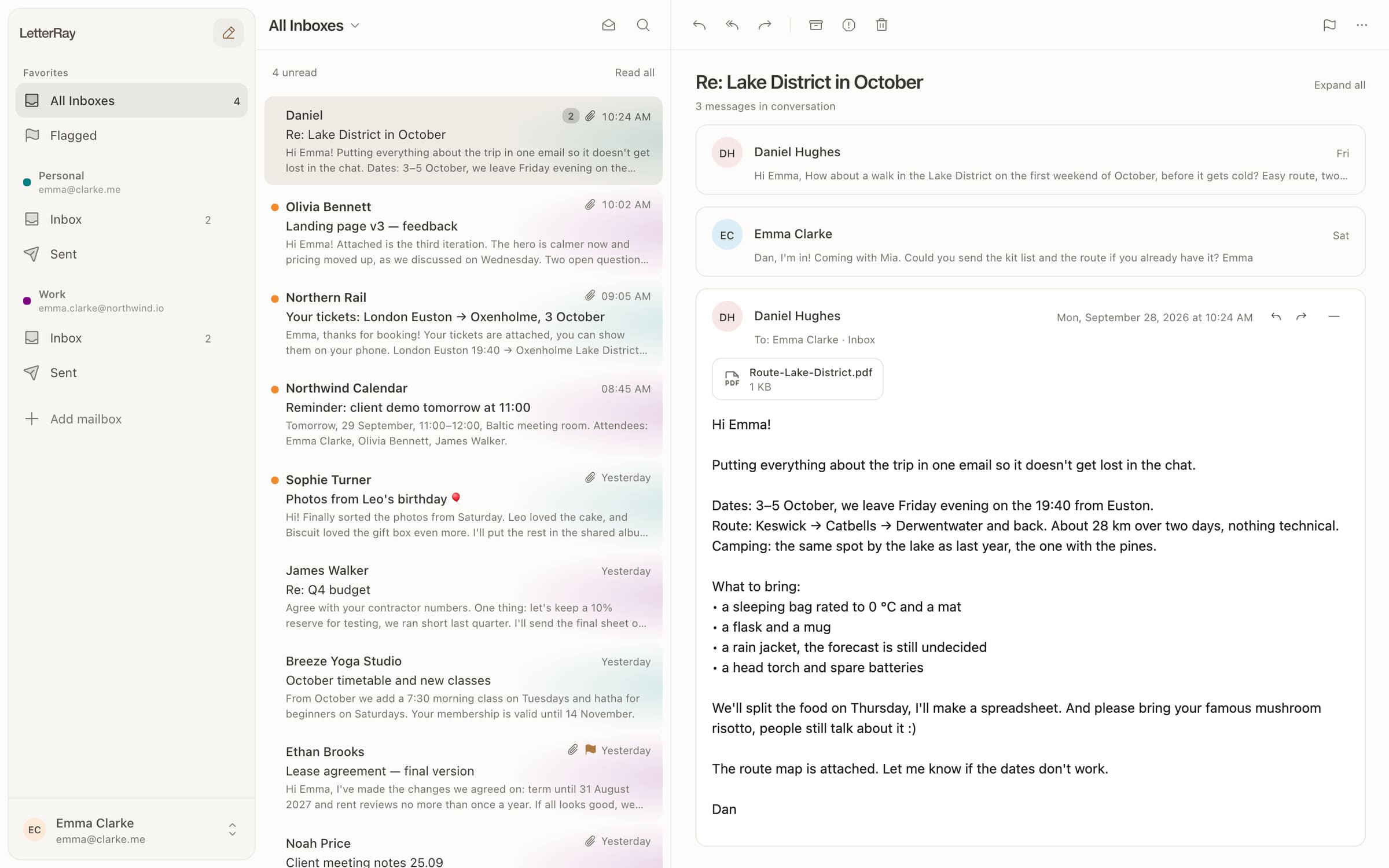
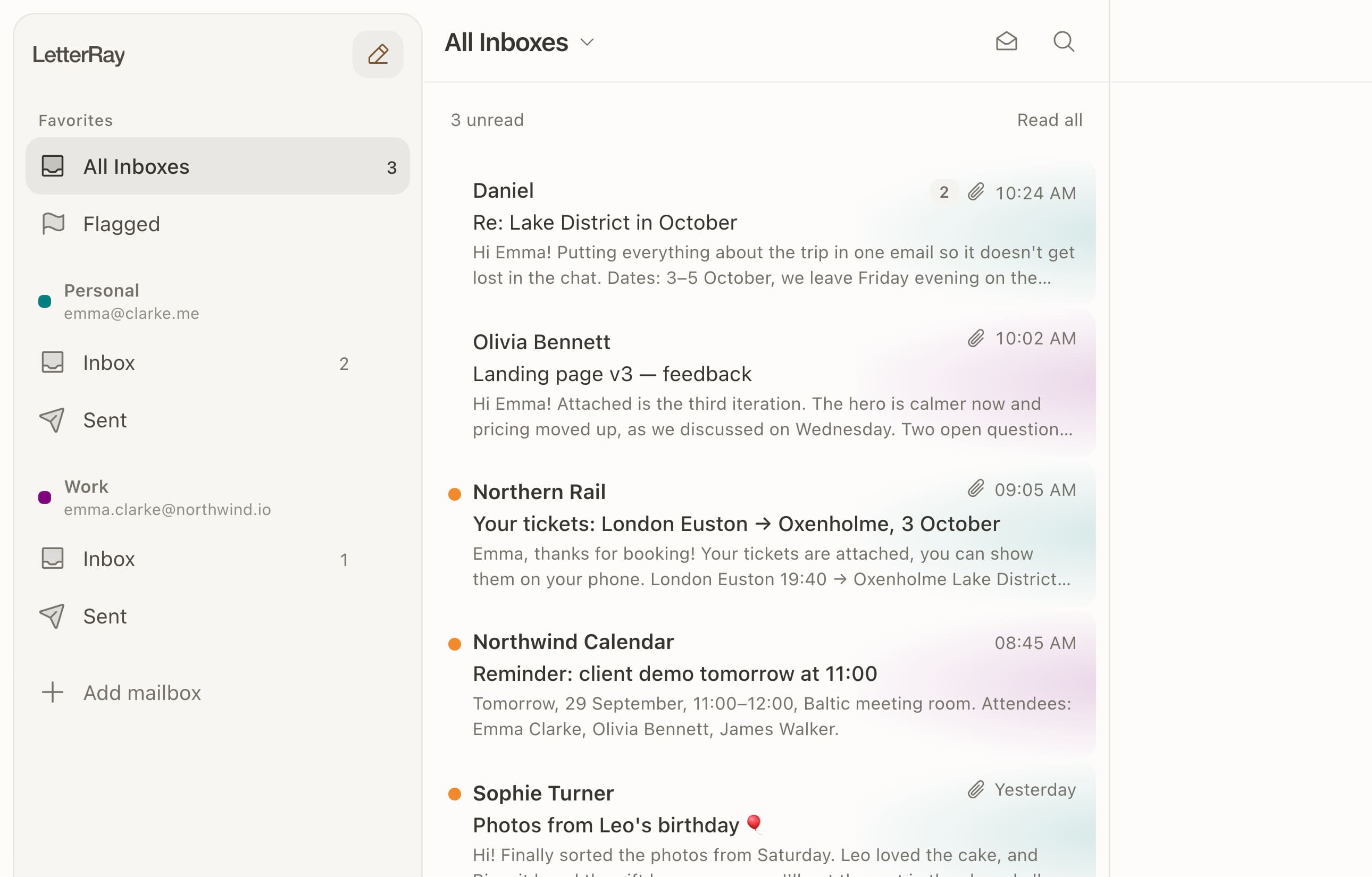
LetterRay on a Mac: one inbox for a personal and a work mailbox, with a trip conversation open
9:41
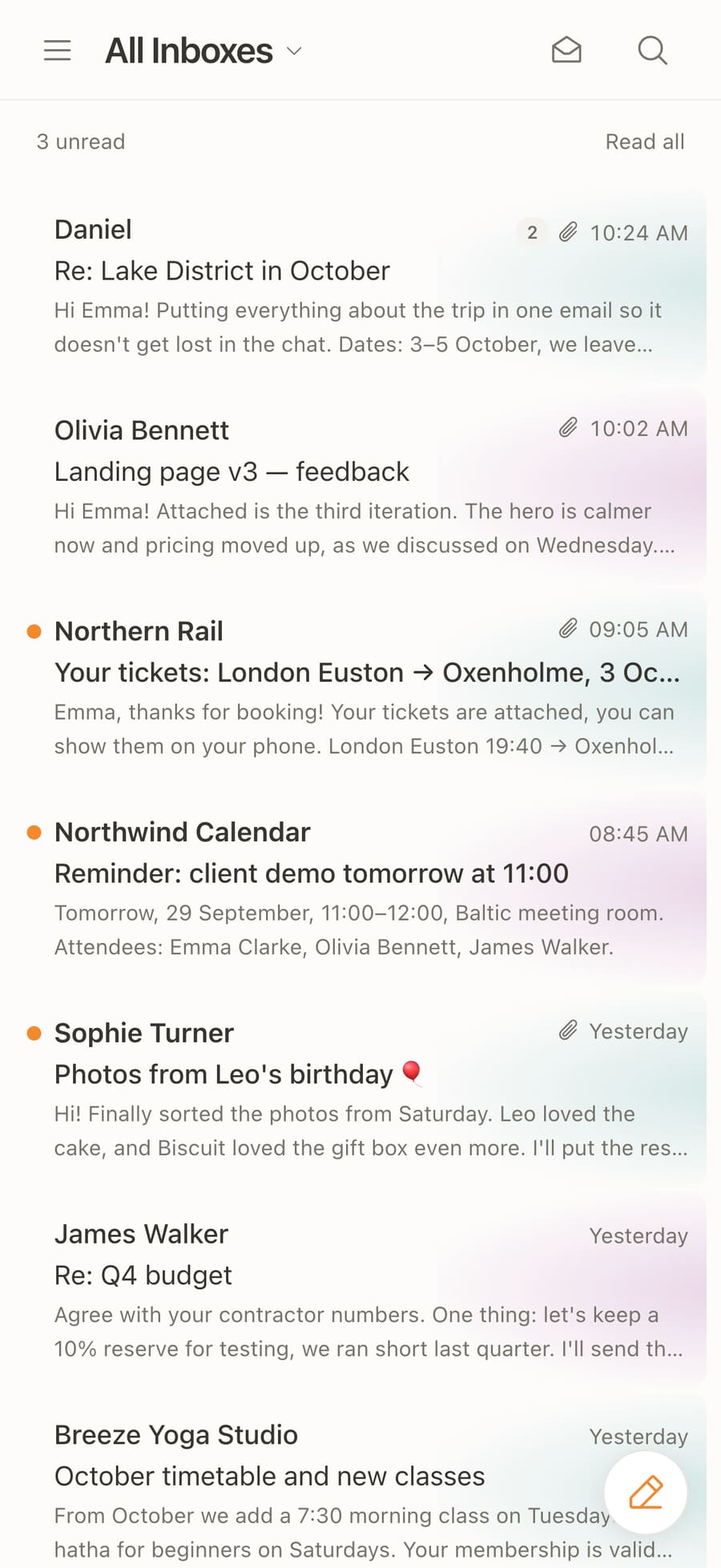
LetterRay on iPhone: the unified inbox
Works withGmailiCloudOutlookYahooFastmailYandexany IMAP

Every mailbox in one list

Personal, work, that old address for newsletters — mail from all of them lands in one inbox. A colour dot shows which inbox it came to, and your reply goes out from the right address.

PersonalWork
Sidebar with Personal and Work mailboxes and a unified inbox with a colour tag per mailbox

Set it up once.
It works everywhere.

Enter your address and password and LetterRay finds the server settings. Mailboxes, folders and your signature live in your account, so on a new phone or computer you just sign in.

  • Gmail, iCloud, Outlook, Yahoo — settings are filled in for you
  • New device — sign in and your mail is already there
  • Read it on your phone — it's read on your computer too
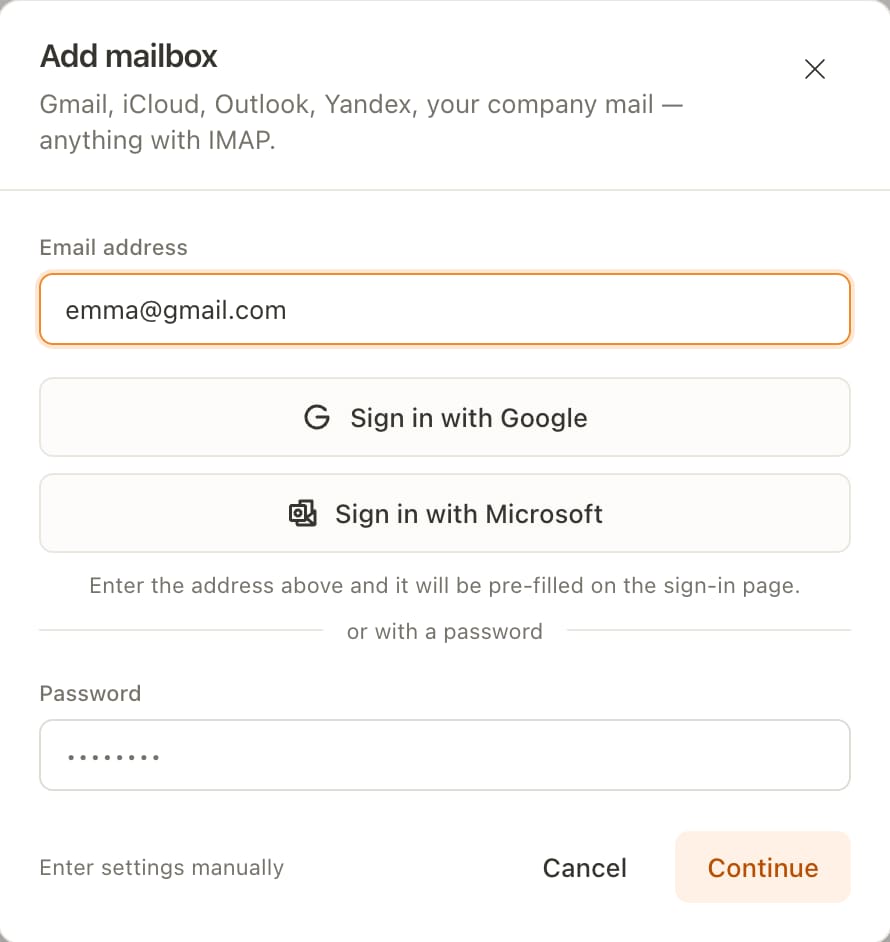
The Add mailbox window: email address, sign in with Google or Microsoft, or with a password

Right at home on your phone

A dense, calm list, large message text and the gestures you already know from your phone's own mail app.

9:41
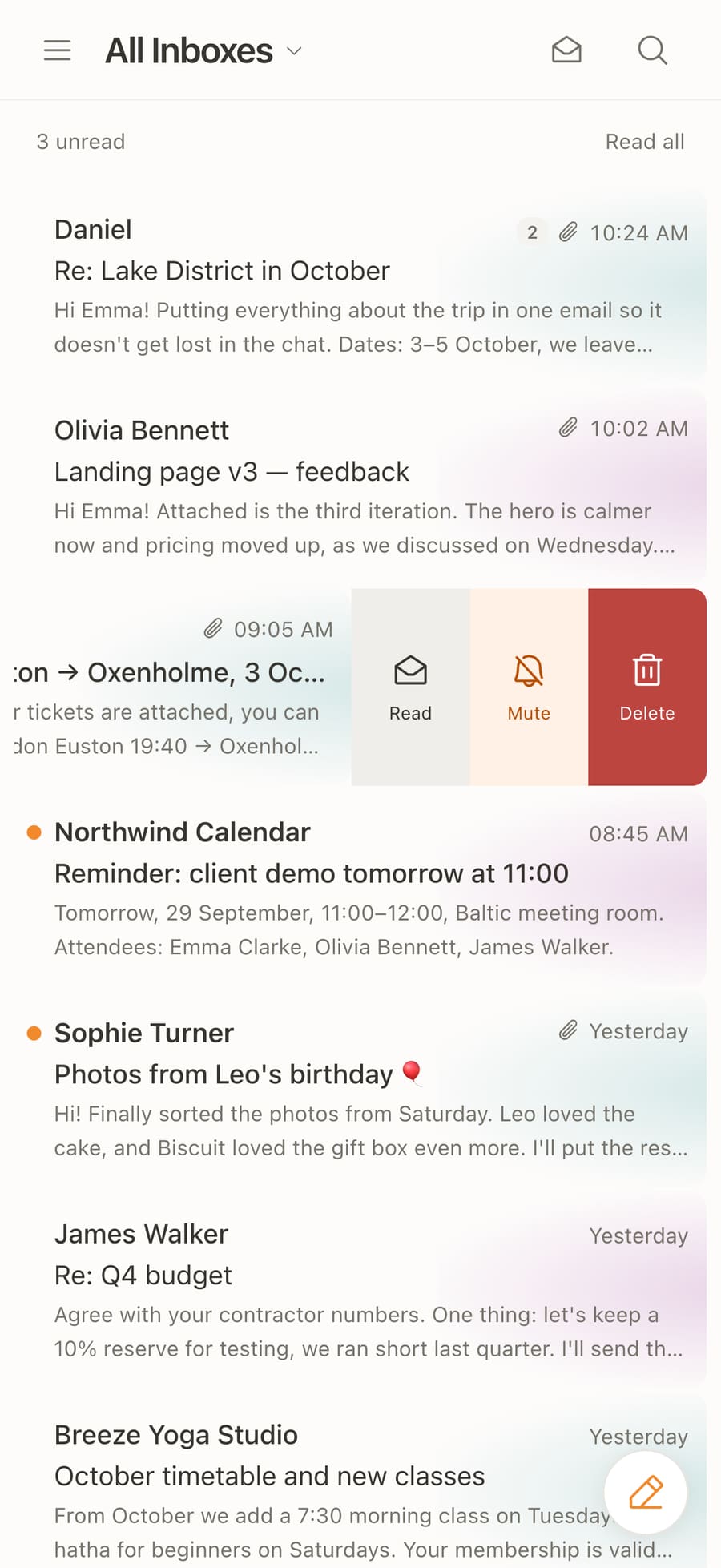
Swipe left. Mark as read, mute the sender or delete — in one move.
Swipe leftMark as read, mute the sender or delete — in one move.
9:41
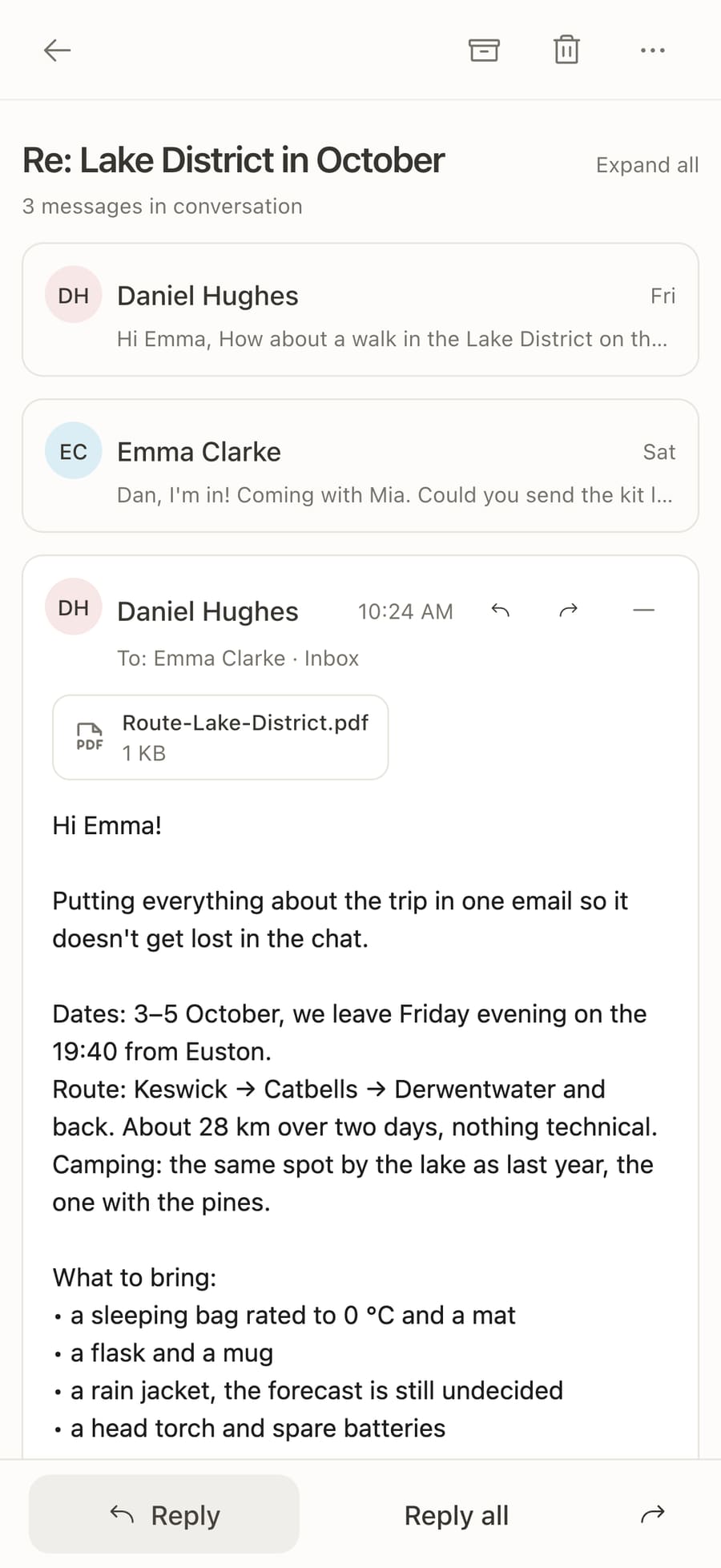
The whole message. Attachments on top, reply and forward at the bottom, under your thumb.
The whole messageAttachments on top, reply and forward at the bottom, under your thumb.
9:41
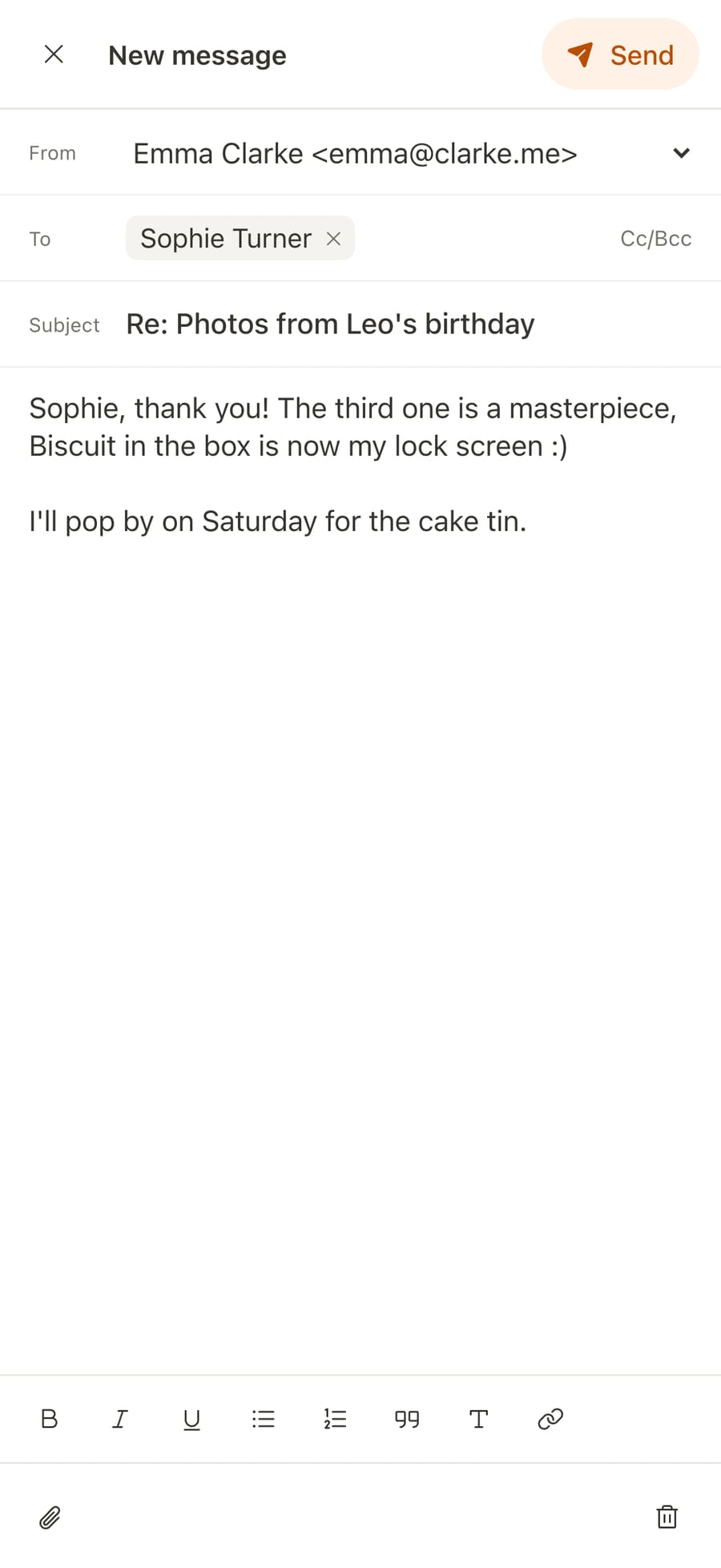
New message. Pick the mailbox to send from; contacts autocomplete and formatting is one tap away.
New messagePick the mailbox to send from; contacts autocomplete and formatting is one tap away.

New mail, instantly.
Noise, never.

You're notified the moment a message arrives, even when the app is closed. Mute a newsletter or a noisy sender with one swipe: their mail keeps arriving, silently, on every device at once.

Daniel Hughes

Re: Lake District in October

Putting everything about the trip in one email so it doesn't get lost in the chat.

Northern Rail

Your tickets: London Euston → Oxenholme

Coach C, seats 12 and 14.

Riverside Cinema

Premiere of the week: 20% off tickets

Sender muted — it's in your inbox, your phone stays quiet.

Day and night

LetterRay follows your system theme. Designed emails stay readable: their layout doesn't break or turn into a mess.

The same email in light mode
LetterRay in dark mode: a yoga studio newsletter with the October timetable

Small things that save time

Search every mailbox

Sender, subject, message text — search everywhere at once, not one mailbox at a time.

Drafts everywhere

Start on your phone, finish on your computer. Drafts are saved to your mailbox.

Attachments, no downloads

PDFs and images open right in the app.

In sync with the server

Folders, flags and read state match what you see in any other mail app.

Download LetterRay

One account, every device. A free plan and a Pro subscription.

iPhone and iPad

iOS and iPadOS 15 or later

Download on the App StoreDownload on the App Store

Android

Android 7 or later · APK, 12.8 MB

macOS

macOS 11 or later · Apple silicon and Intel · 8.7 MB

Windows

Windows 10 and 11, 64-bit · 3.1 MB

Linux

.deb for Ubuntu and Debian, .rpm for Fedora and openSUSE · 4.7 MB

Browser

letterray.app — Chrome, Safari, Firefox, Edge

Version 1.0.0, released 28 September 2026. A Google Play version is coming; for now the Android app installs from an APK.

Questions

How much does LetterRay cost?

Pro features are free during early access. After subscriptions launch, Free will include one mailbox and Pro up to ten mailboxes for RUB 249 per month. Subscribe on the website with your LetterRay account; Pro works on every device. Your early-access status and available payment options are shown in Subscription settings.

Which email providers work?

Anything with IMAP: Gmail, iCloud, Outlook, Yahoo, Fastmail, Yandex and work mail on your own domain. LetterRay finds the server settings from your address; if it can't, you can enter them by hand.

Do I set up my mail on every device?

No. Mailboxes belong to your LetterRay account: sign in on a new device and your mailboxes, folders and signature are already there.

What is an app password?

Gmail, iCloud and Yahoo don't let mail apps sign in with your normal password. Create an “app password” in your email account's security settings and paste it into LetterRay instead. The app tells you when you need one.

Is it secure?

LetterRay connects to mail servers over encrypted connections only, and mailbox passwords are stored encrypted. You can delete your account at any time in Settings: data on our server is removed immediately, and your mail at your provider stays untouched.

See the privacy policy for details.

How do I install it on Android?

Download the APK and open it. If Android asks, allow installs from that source. A Google Play version is coming.

Windows says “Windows protected your PC”

The Windows installer isn't code-signed yet, so SmartScreen shows a warning. Click “More info”, then “Run anyway”.

Mail, simply.

Sign up in a minute: your email, a code, your first mailbox.